
Add listings to a new marketplace
Add an individual listing
- Go to Listings > All Listings > search for the SKU.
- Click the Add to Marketplace (+) button to create a listing:
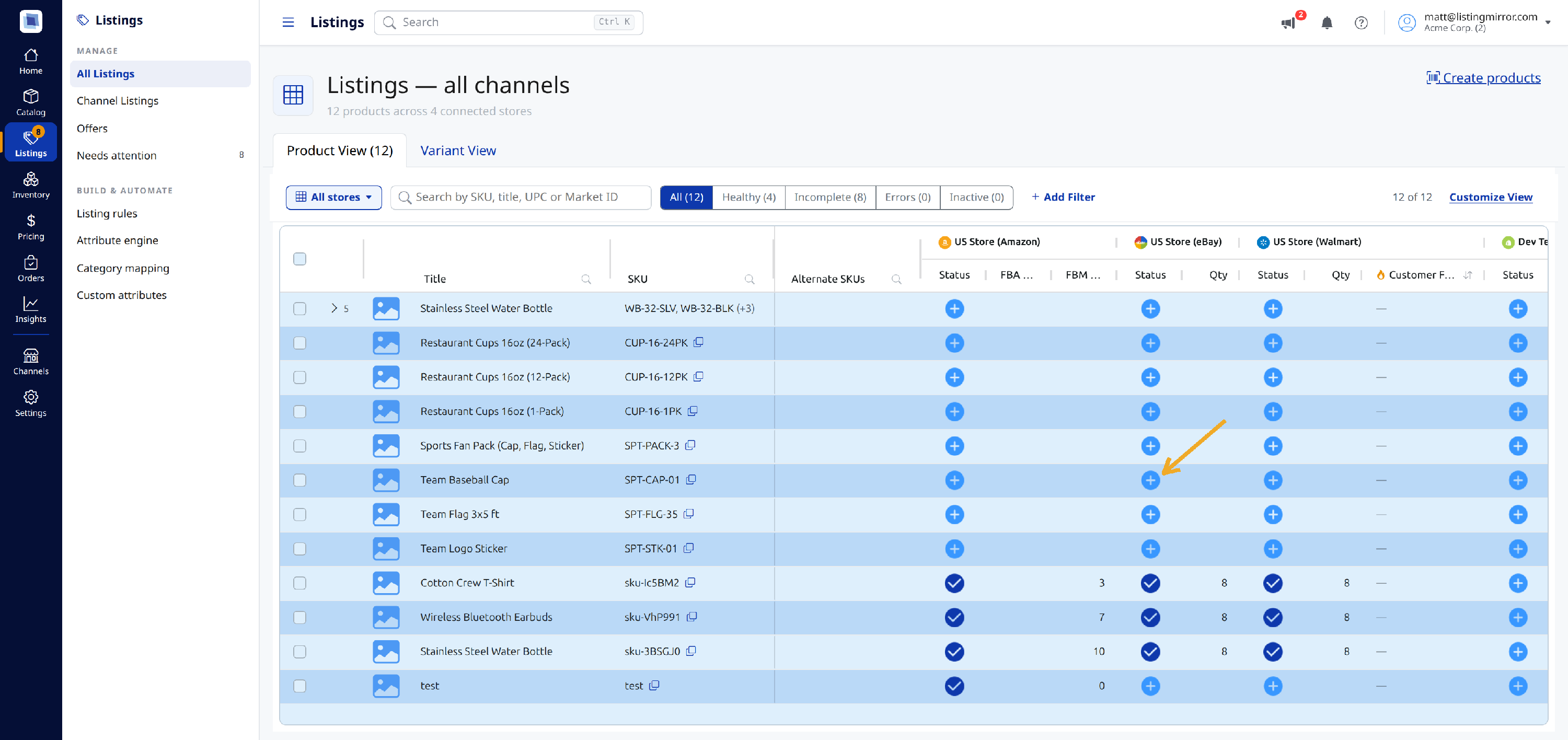
If a listing is a variation, we'll create all child listings associated with the parent listing.
Add multiple listings
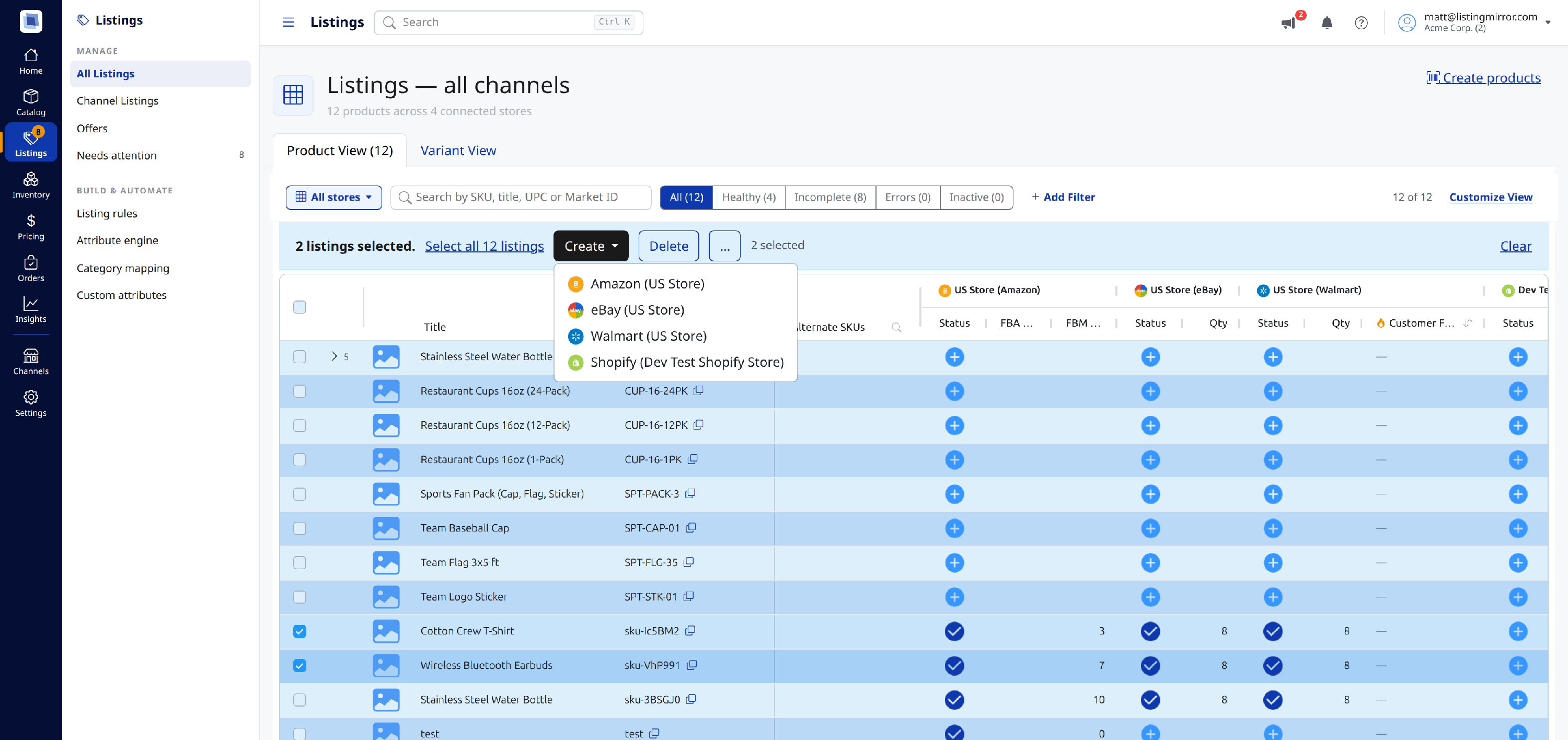
- Go to Listings > All Listings > select a group of SKUs
- Click Create and select a marketplace from the menu:
Add listings in bulk
- Go to Catalog > Import & export
- Select Create and Delete from the template menu.
- Click Download Template
- Open the downloaded spreadsheet and enter C (for "create") or D (for "delete") in the marketplace column and SKU row for the desired product.
- Save the sheet, head back to the Import & export page, and click Upload Template.
You can find additional details about using the Create and Delete template outlined here.
Related articles
- Use the Stranded Listing page to fix listings that require additional details (Video)
- How to Add Listings to a New Marketplace in Bulk Using the Create and Delete Template (Video)
- How to apply Product listing changes to specific Marketplace listings
- How to use the Amazon Add Offer spreadsheet
- Add an FBA or FBM Offer to an Existing Amazon Listing