
Change the order product variations are displayed in a listing on the marketplace
- Go to Listings > All Listings
- Search for the SKU and click the edit icon in the marketplace's column
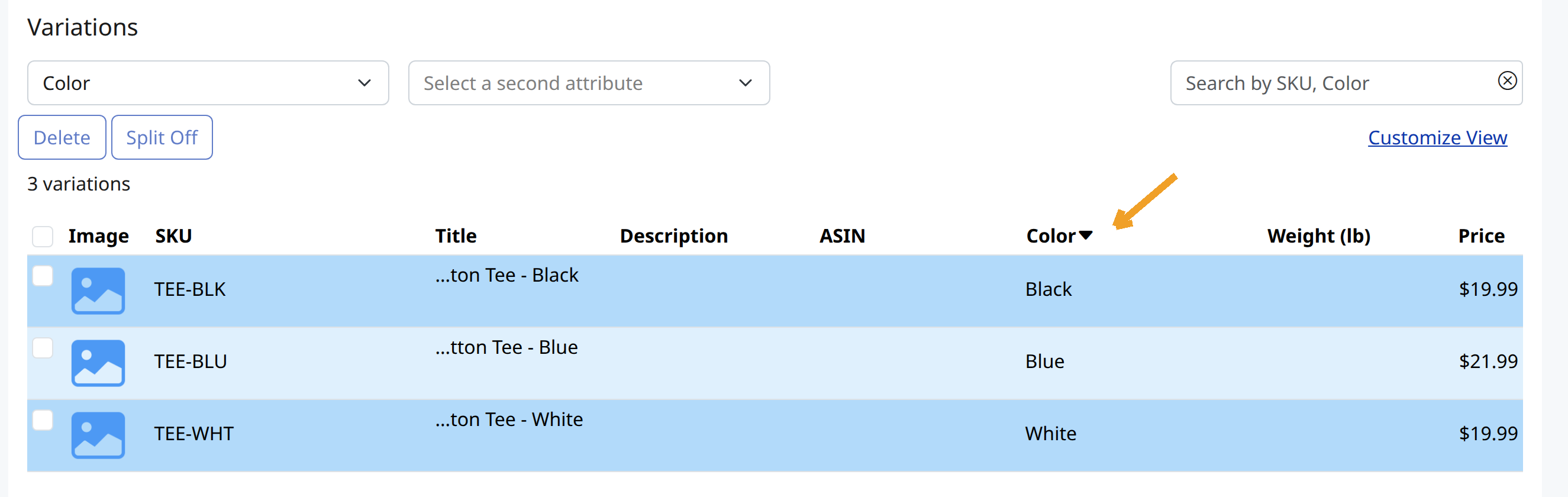
- In the Variation box, click the arrow at the top of the attribute column:
4. Drag and drop the attributes to the desired order:
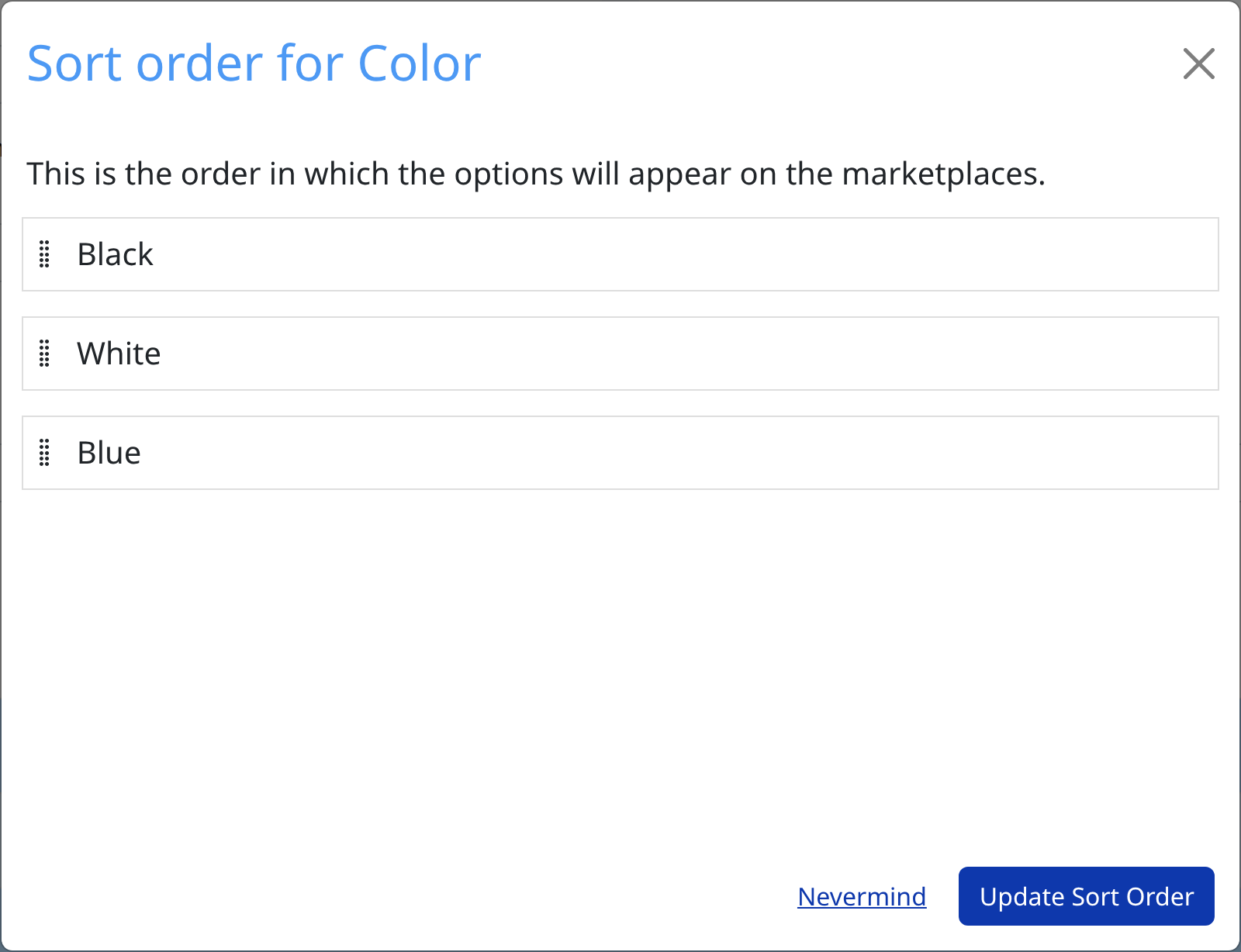
5. Click Update Sort Order