
Add users and manage their access
Add a new user
- From the left menu, click Settings, followed by Users & permissions.
- Click + Add New User.
- Enter the user's name and email address.
- Select each permission you'd like to give to the user. *these can be changed at anytime*
- Click Save.
Once added, the new user will receive an email letting them know they've been added to your Listing Mirror account. The email will prompt them to create their own login credentials for access.
Manage users
- Go to the Users & permissions page to view and edit permissions:
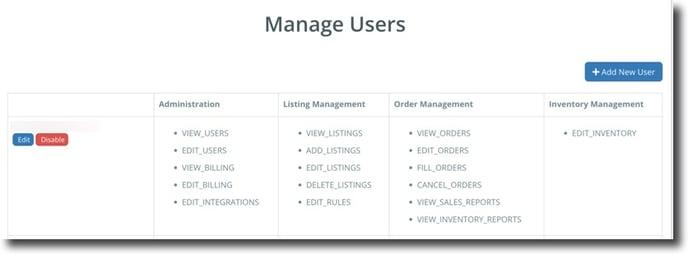
- To update permissions, click Edit. To remove access, click Disable.
